Overview
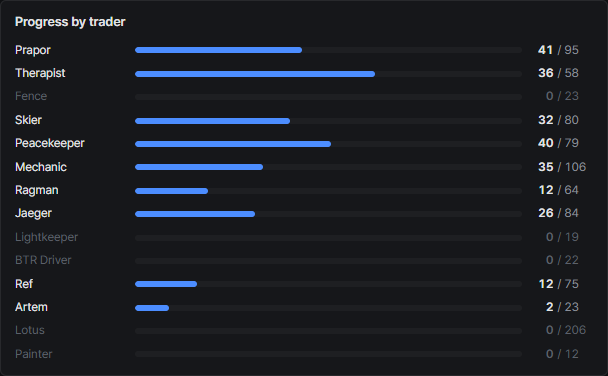
Trader progress
A progress bar per trader with finished and total quest counts. Traders you’ve fully finished turn green.
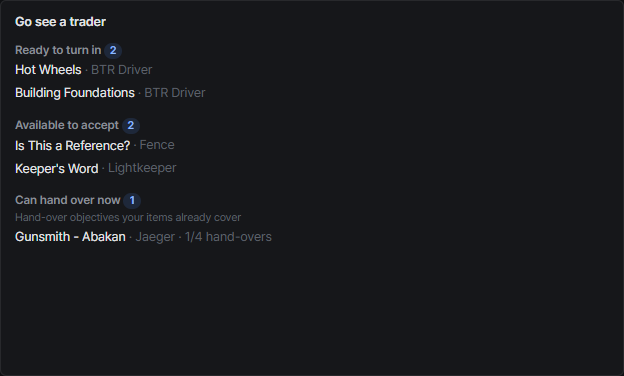
What you can do now
Under Go see a trader:
- Ready to turn in: every objective is done
- Available to accept: quests you can pick up now
- Can hand over now: hand-over objectives your items already cover
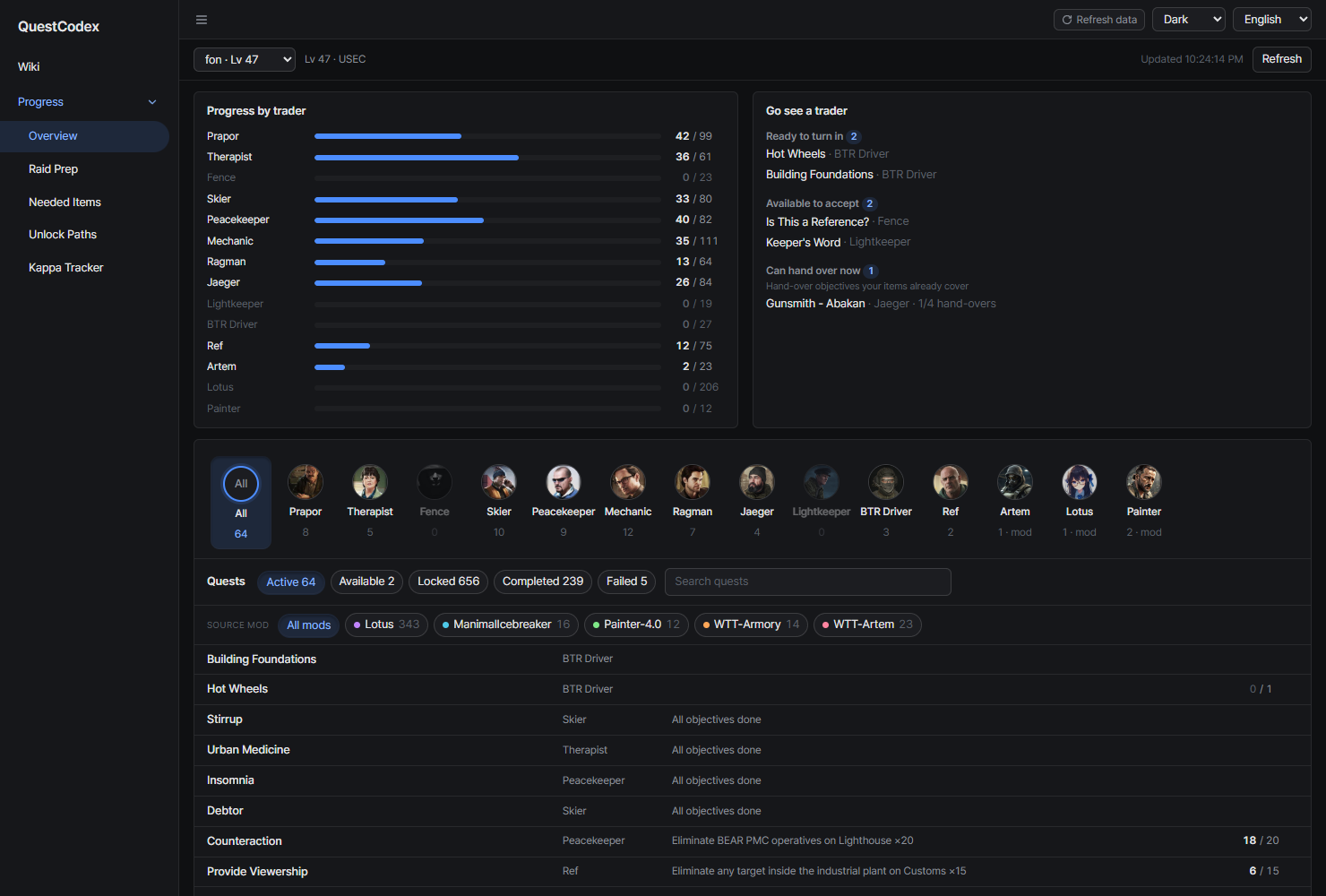
Quests by status
All quests grouped by status, with search and the same trader row as the wiki. Mod quests carry their mod name tag. The same source mod filter sits under the status tabs, and the tab counts and trader row follow the mods you pick.
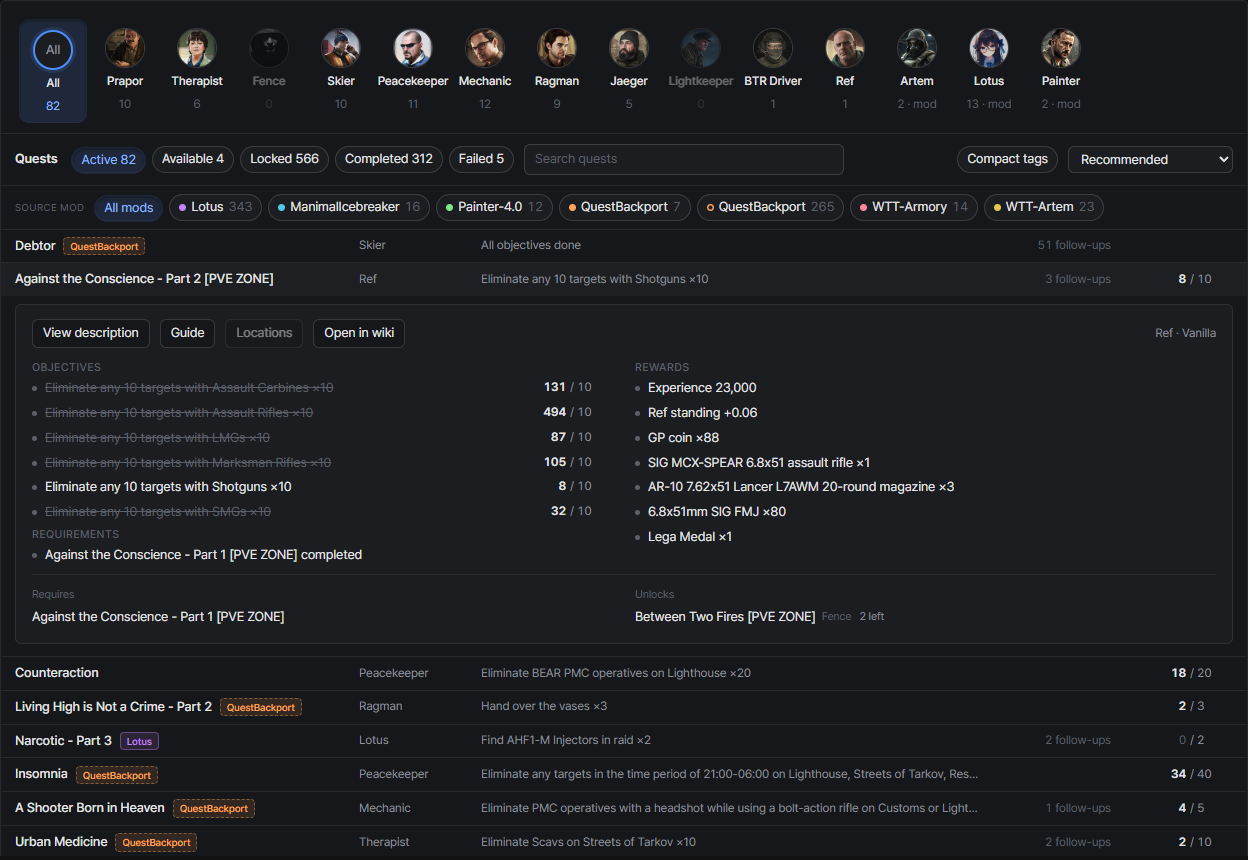
Click a quest to expand the same details as the wiki (description, guide, locations map, branch warning, rewards, related quests), plus your progress:
- Objectives show their counters, and finished ones are struck through
- Locked quests mark the start conditions you haven’t met yet, with your current value
- Open in wiki jumps to the quest in the wiki; related quest links jump within this list
- Each quest under Unlocks shows how many follow-ups it still has left
Each tab sorts for what you’d look for first:
- Active: ready to turn in first, then by objective completion
- Locked: closest to unlocking first
- Completed / Failed: most recent first
Quests you can never finish on this profile (other faction only, or a branch you already closed) are marked Unreachable.
Follow-ups and sorting
Each row shows N follow-ups: how many quests that quest eventually leads to and you haven’t finished yet. It follows unlocks all the way down and counts a shared branch only once. Quests at the end of a chain show nothing.
The sort menu next to the search box picks the order:
- Recommended (default): the per-tab order above
- Most follow-ups left: quests that open up the most first
- Fewest follow-ups left